For those of you who followed my tutorial on using @font-face, you will remember that generating the proprietary font file for Internet Explorer was not an easy task. Now, there are websites and desktop software that will convert your TrueType (TTF) font file to an Embedded OpenType (EOT) file format. Here are a few resources that I have found:
If you’re using Grails and the Grails UI plugin’s autocomplete feature, you may have noticed all of your textboxes have disappeared in Chrome 10. This is thanks to Chrome 10 adding a new default browser style for an invalid attribute: “hidden”.
Take a look at this jsFiddle: http://jsfiddle.net/jennyfofenny/VkCXh/ If you remove the CSS style on the right, Chrome 10 will by default hide input elements that have the “hidden” attribute set to true. The problem with this is that the hidden attribute is not a valid attribute – and should therefore be “undefined”.
So, if you’ve noticed this issue, make sure to add the following CSS style to your reset stylesheet so Chrome 10 behaves like all the other browsers:
input[hidden=true][type=text]{display:inline;}

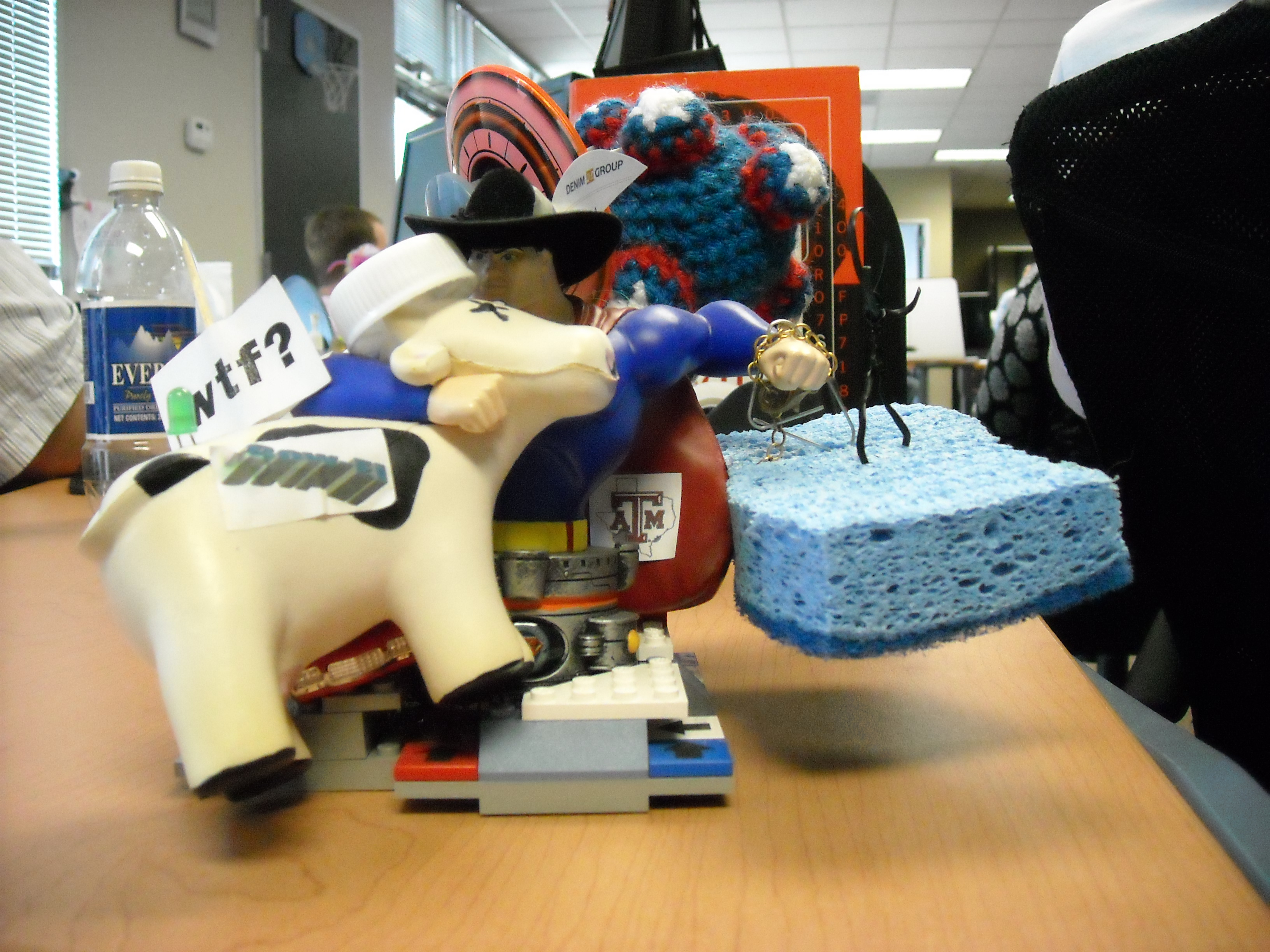
Recently, I got an award at work known as the “Superman Award”. It is a Superman action figure that collects a new accessory with each recipient. And at this point, it has collected quite a bit of stuff. So, I’ve decided to make an addition of my own. Since the Superman Award is essentially a katamari at this point, I went ahead and made a crochet katamari (in the style of the PS2 game Katamari Damacy, of course). The attempt I made for the Superman award turned out OK, but I improved upon it and have posted the pattern below for your enjoyment.
Read the rest of this entry »
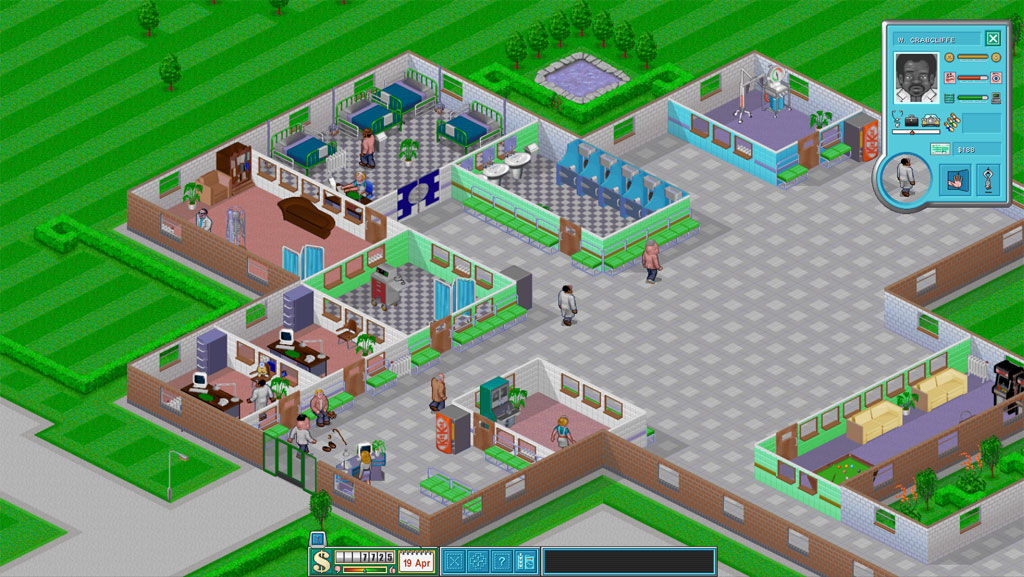
I was reading a submission on Reddit the other day about a screenshot of Roller Coaster Tycoon. That screenshot drew me into a Wikipedia wormhole that started with the article on Roller Coaster Tycoon and culminated in my visiting the page on Theme Hospital. In the article, it talks about various attempts to develop an open source game engine based on Theme Hospital using the old game assets. So, I found CorsixTH (which is in Beta), and wouldn’t you know, it’s just like Theme Hospital! I noticed a couple small bugs and the “Charts” menu isn’t fleshed out, but it’s just like the game I remember.
Read the rest of this entry »
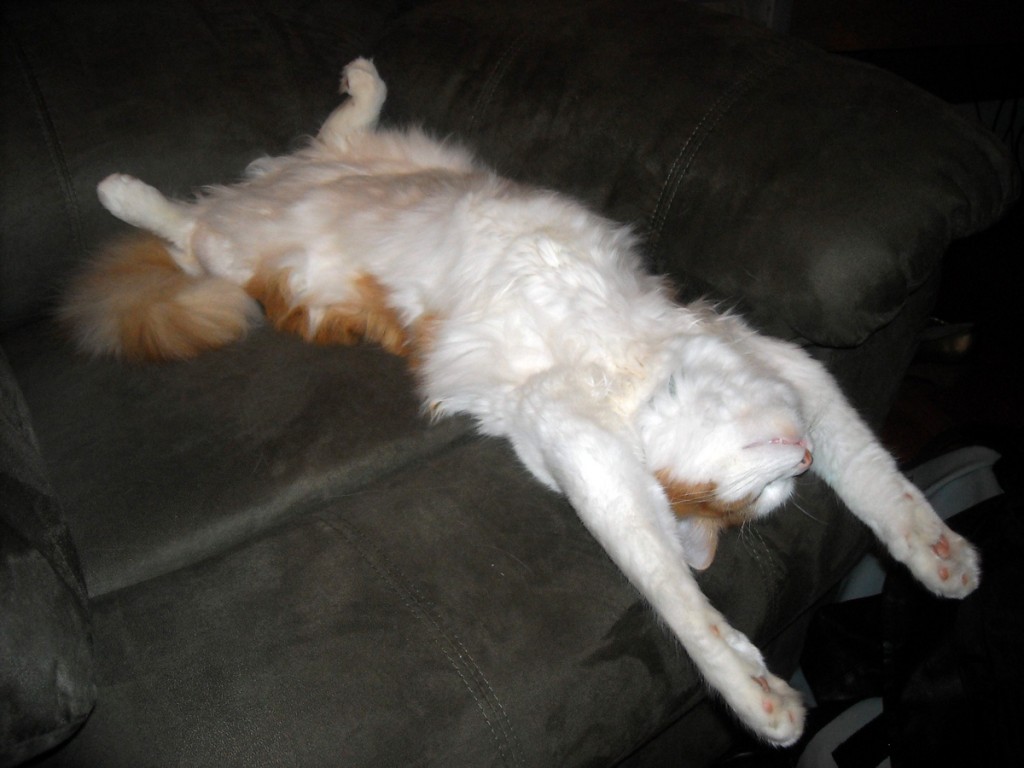
I caught our kitty, Helo, on camera the other day – all stretched out.

I posted it up on icanhascheezburger‘s website here.
Read the rest of this entry »
Recently, I was browsing CSS Beauty and noticed quite a few articles on the CSS3 @font-face rule. I have always been somewhat unhappy with sIFR – I just don’t like having Flash files as header text. However, after reading more about the @font-face rule, I found out that it may be a suitable substitute for my special headline fonts – it’s also mostly cross-browser compliant (and Google Chrome will be adding support in the next version). So, I decided to change my sIFR font headings to use the @font-face rule and my process is detailed below.
The first obstacle that I encountered during this process was obtaining a font that allowed for distribution (this is a tough issue since many fonts that you normally use on a site have a different license that does not allow for distribution). So, I was going to have to replace my Century Gothic font and, after some searching on the internet, I found the Liberation Sans font by Red Hat to be acceptable.
Read the rest of this entry »
CSS Spriting is a technique for speeding up the load times for your website by reducing the number of HTTP requests for images to the server. On Yahoo’s best practices website, they say:
“CSS Sprites are the preferred method for reducing the number of image requests. Combine your background images into a single image and use the CSS background-image and background-position properties to display the desired image segment.”
This technique can be extended for non-background images on your site as well. However, some issues arise when you use CSS spriting for your main navigation elements(among other images):
- You can’t attach alternate text to divs for accessibility purposes
- CSS Spriting and the IE6 PNG fix are incompatible
- The images will not print out on printouts unless the client option to print background images is selected (this is bad for logos and menus, etc)
- For images in pages (that are not actually background images), it seems semantically bad to hide the image in CSS.
With these concerns in mind, I devised a cross-browser compliant solution that addresses all of the aforementioned problems. The new technique uses an image tag, a div, and the CSS clip property.
Read the rest of this entry »